
I was tasked with setting up SFTP for Azure Blob Storage at work, and I wanted to see whether I could check check which client IP addresses were accessing the storage account for security and auditing purposes. My goal was to verify the client IP addresses first, then use that information to help lock down access. I tried searching online to see if someone had documented this before, but I did not have much luck so I figured I would document my findings from Microsoft’s documentation and other resources.
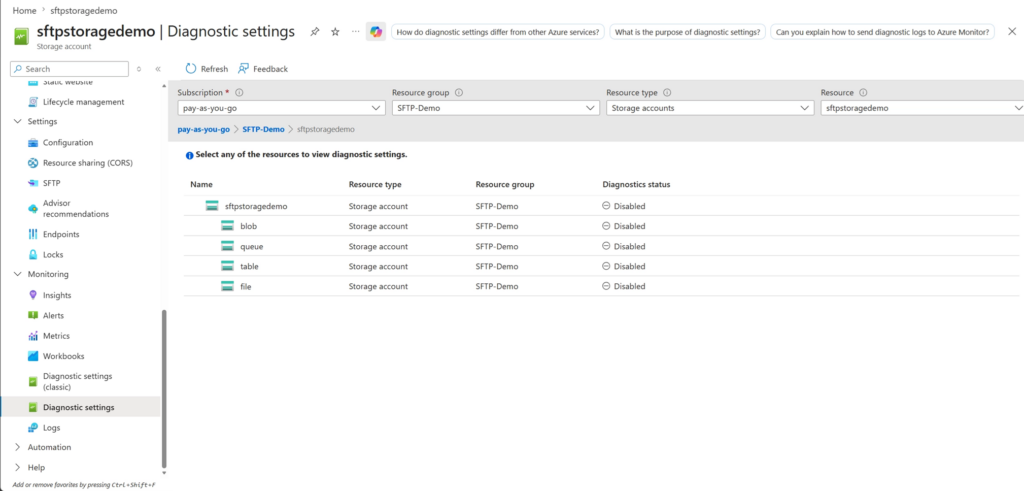
First, navigate to the Diagnostic settings section in your storage account:
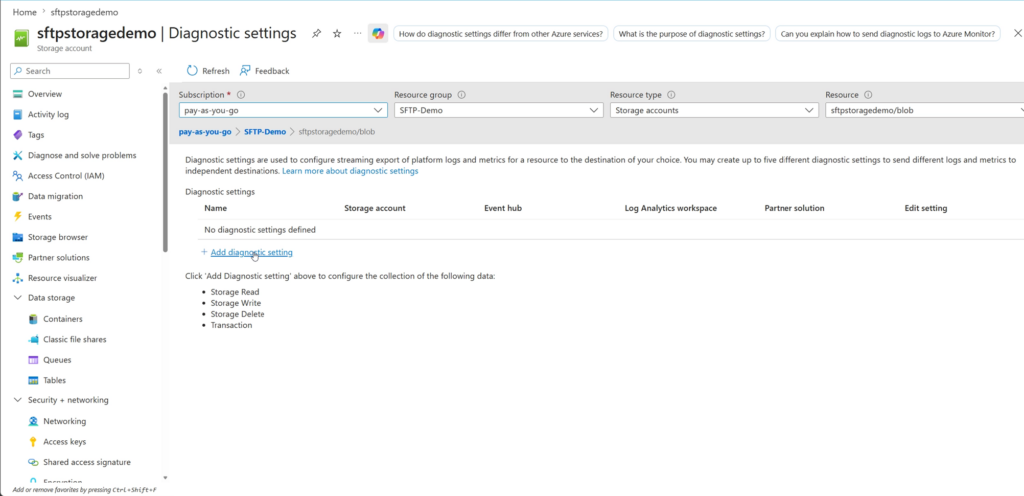
Click on blob and then add diagnostic setting:
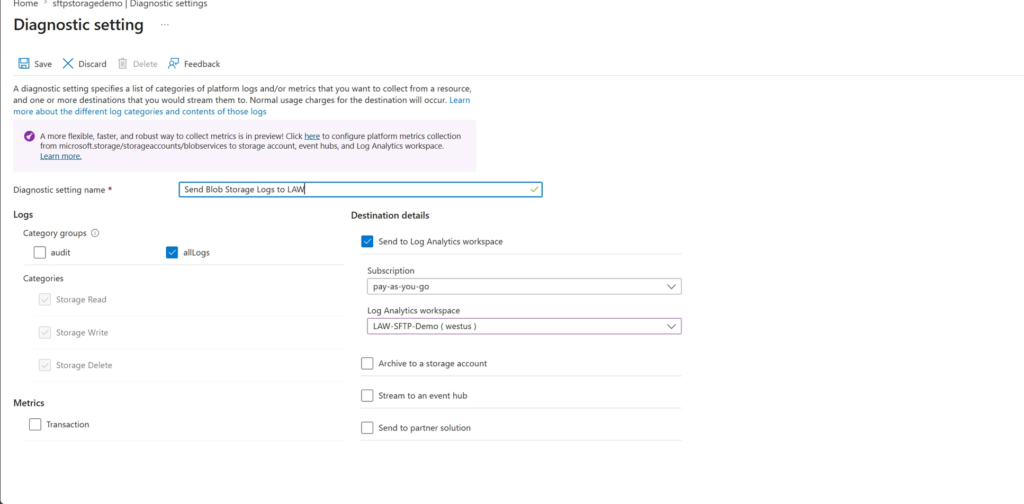
Select allLogs, which will automatically include Storage Read, Storage Write, and Storage Delete. Then choose your Log Analytics workspace, enter a name for the diagnostic setting, and click Save:
Once it is saved, you can start generating some logs by uploading or deleting files in your Blob container. The logs will then be sent to your Log Analytics workspace.
In your Log Analytics workspace, go to Logs, switch to KQL mode in the top right, and run this query:
StorageBlobLogs
| where Protocol == “SFTP”
| project TimeGenerated, StatusCode, StatusText, Category, CallerIpAddress
This query will show logs generated by SFTP activity. The project statement filters the output to the columns we care about, such as time, status, activity category, and the client IP address:
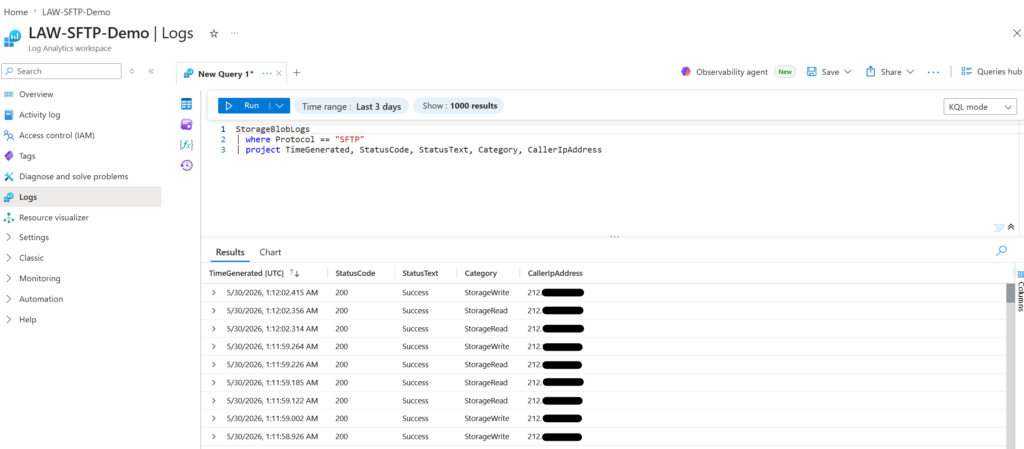
Voila! We now have activity logs for SFTP access to Azure Blob Storage. In this case, once I have confirmed the expected client IP address, I can use it to restrict network access to the storage account.
Sources:
https://learn.microsoft.com/en-us/azure/azure-monitor/platform/diagnostic-settings?tabs=portal
https://learn.microsoft.com/en-us/azure/azure-monitor/reference/tables/storagebloblogs
https://github.com/MicrosoftDocs/azure-docs/blob/main/articles/storage/blobs/blob-storage-monitoring-scenarios.md
https://learn.microsoft.com/en-us/azure/azure-monitor/platform/diagnostic-settings?tabs=portal#methods-for-creating-a-diagnostic-setting
https://learn.microsoft.com/en-us/azure/storage/blobs/monitor-blob-storage?tabs=azure-portal#kusto-queries
https://support.hashicorp.com/hc/en-us/articles/26764939614995-How-to-enable-Storage-Read-Write-or-Delete-Diagnostic-Settings-for-Azure-Blob-File-Queue-and-Table-using-Terraform